Google Business Profile Optimization Guide for Small Businesses
A practical guide to Google Business Profile management, including profile setup and verification. Step-by-step guide to complete and optimize the one listing that affects whether local customers find you the most.
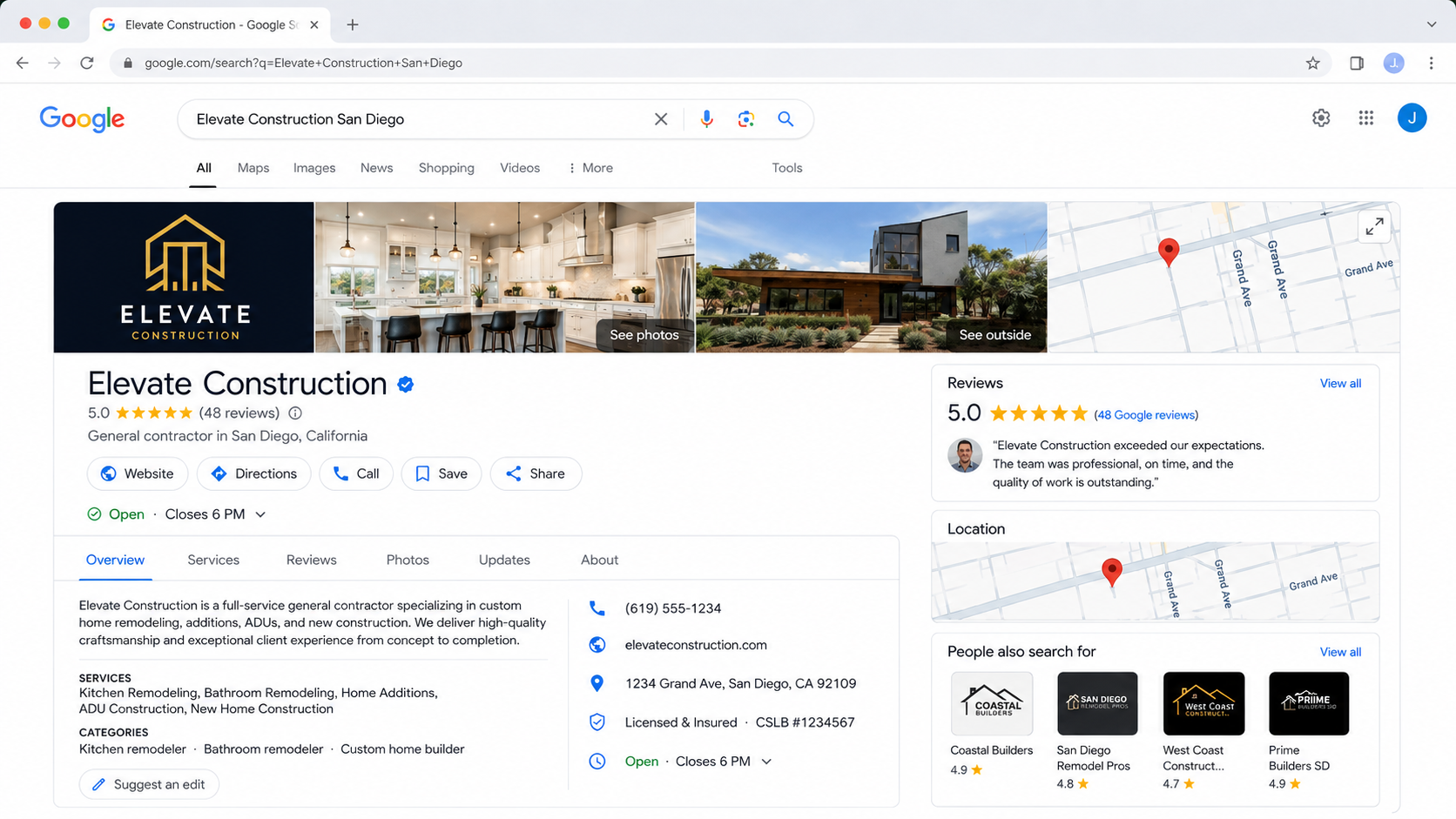
Practical guidance • Useful even if your profile is already live
Why optimise your Google Business profile
Your Google Business Profile is the free listing that appears on Google Search and Google Maps when someone looks up your business by name or by what you offer nearby. Optimizing it means filling in every available field accurately, keeping it current, and giving Google (and customers) enough real information to trust the listing. Anything complete has the biggest space to grow. So what is a Google Business Profile, in one line? It's the free listing that appears on Google Search and Maps whenever someone looks up your business by name or by what you offer nearby.
It is not the same as your website, and it is not the same as local SEO in general — it's one important, free listing inside a broader practice. This guide covers that one listing in depth. Thinking about your Google Business Profile for SEO? It's one important input into local SEO, not a replacement for it — your profile, website and reviews all work together.
If you're setting one up for the first time, learning how to create a google business profile is straightforward, but people still search create google business profile and google business profile setup separately because the steps aren't always obvious. And if you're asking what is google business profile in the first place, or dealing with google business profile verification delays, those are two of the most common early sticking points.
Why an incomplete profile costs you customers
- Wrong hours mean a wasted trip.
- Missing photos make a business look closed or untrustworthy.
- No category, or an overly broad one, means you don't show up for the specific thing you actually do.
How to optimize your profile, step by step
If you're starting from zero, here's how to create a Google Business Profile: go to business.google.com, sign in with a Google account, search for or add your business name and address, choose the most accurate category, and follow the prompts to submit it for verification. Once you create your Google Business Profile, the steps below take it from bare-minimum to fully optimized.
- Claim and verify your listing — If you haven't already, claim your business on Google and complete the verification step — usually a postcard, phone call or email confirmation.
- Choose the most specific category available — "Bakery" is better than "Food" if that's genuinely what you are. Identify the proper segment of your business and use and stick with that. Add secondary categories only if they're accurate.
- Fill in every field — Hours, address, phone number, website, services or products, and a description written in plain language — leave nothing blank that applies to you.
- Add real, recent photos — Storefront, interior, products or work samples, and team photos where relevant. Profiles with more photos consistently get more customer engagement.
- Set up a simple review request habit — Ask every satisfied customer, right after a good experience, rather than occasionally remembering to ask.
- Check and update it monthly — Hours change for festivals, offers end, new photos are worth adding — treat this as ongoing maintenance, not a one-time setup.
Common mistakes that hold a profile back
- Choosing a category that's too broad or slightly wrong — This is one of the most common reasons a business doesn't appear for the specific searches that matter to it.
- Letting hours go stale around holidays — Customers searching "open now" get an inaccurate answer, and that's a bad first impression before they've even arrived.
- Never adding new photos after setup — A profile with five-year-old photos reads as inactive, even if the business is thriving.
- Not responding to reviews — Silence on a negative review reads as indifference to anyone reading it later — including customers who never left one themselves.
Practical checklist
Run through this before assuming your profile needs an agency:
1.Business verified and claimed on Google
2.Most specific accurate category selected
3.Every field completed — hours, address, phone, website, services
4.At least 10 real, recent photos
5.A habit of asking every happy customer for a review
6.A monthly check for stale hours, offers or photos
Frequently asked questions
What does optimizing a Google Business Profile actually involve?
Filling in every available field accurately — category, hours, address, photos, services — verifying the listing, and keeping it current with regular reviews and fresh photos.
How is Google Business Profile different from local SEO or my website?
Your Google Business Profile is one free listing on Google. Local SEO is the broader practice that includes that listing plus your website, reviews and consistent information elsewhere.
Does Vyaparify manage or optimize my Google Business Profile for me?
Check your current Vyaparify plan for exactly what's included — capability here varies, and it's best confirmed directly rather than assumed from this guide.
How long does it take to see results after optimizing a profile?
There's no guaranteed timeline. A complete, verified profile with real photos and regular reviews tends to show a visible difference within a few weeks.
What common mistakes cause a profile to underperform?
The most frequent causes are a too-broad category, stale hours around holidays, no new photos after initial setup, and not responding to reviews.
Does Vyaparify manage my Google Business Profile for me?
Vyaparify supports your digital presence in several ways, and the exact scope of Google Business Profile support can vary by plan — check your current plan for specifics rather than assuming. Either way, your Google Business Profile is separate from your Business QR and business page: think of your profile as your listing on Google specifically, and your Vyaparify page as the destination you control directly.
Optimize your business presence
Start with the fields you control directly — category, hours, photos and reviews.